Simplex APOGEE Manual de usuario Pagina 11

  • Descarga
  • Añadir a mis manuales
  • Imprimir
  • Pagina
    / 20
  • Tabla de contenidos
  • MARCADORES
  • Valorado. / 5. Basado en revisión del cliente
Vista de pagina 10
10
Chapter 3: Reader Kit Alignment: Digital
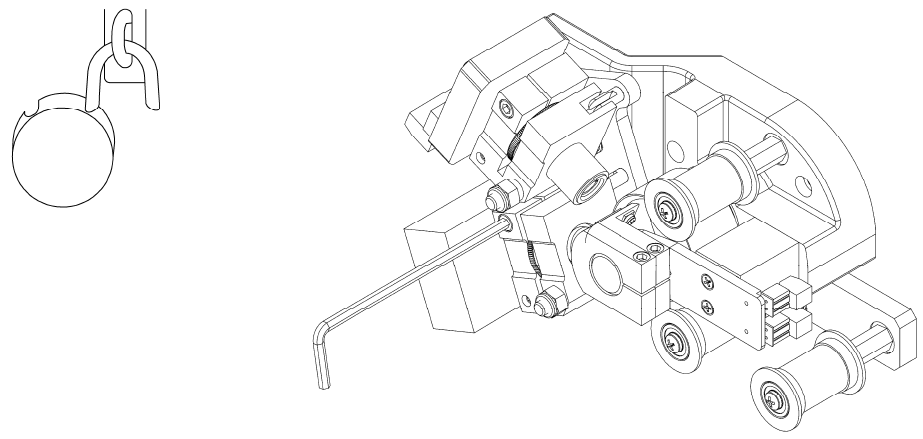
Use a 5/32" Allen wrench to unlock the digital reader adjustments.
The digital alignment section includes snapshots from oscilloscope displays and screen shots from Dolby
DRAS reader alignment software. The directions for connecting and calibrating your oscilloscope are
included with the installation manual for your Dolby Digital Cinema processor. You will need a PC with a
serial port and a pin-to-pin cable to connect and run DRAS software. Most alignment representations do not
indicate perfect results. This is not an accident or improper alignment. Dolby Cat. No. 530 QC10 calibrated
digital test film has offsets hand printed on the film stock. There are error correction numbers for lateral
offset, azimuth and vertical jitter. The unique number on your particular length of film is the desired
reading on DRAS software. The film shown is Dolby Cat. No. 69. This film is used to make the QC10
calibrated test film. The error offsets are added along with a sticker that identifies it as Dolby Cat. No. 530.
DRAS software will not give a reading until the reader is in near perfect alignment. The steps are listed in a
way that assumes you will be making at least two passes. The first with the scope and the second to fine
tune with DRAS and the scope. It is a good idea to become familiar with all of the information relating to
the digital reader prior to installation. Use care not to plug the reader into the digital processor when the
processor is powered up. This will usually destroy the circuit board in the digital reader.
All adjustments are made while running the same test film. Either Dolby Cat. No. 530 or Cat. No. 69 P or
T. You may not be able to perform the alignment steps in the order they are presented here.
Vista de pagina 10
1 2 ... 6 7 8 9 10 11 12 13 14 15 16 ... 19 20

Comentarios a estos manuales

Sin comentarios